


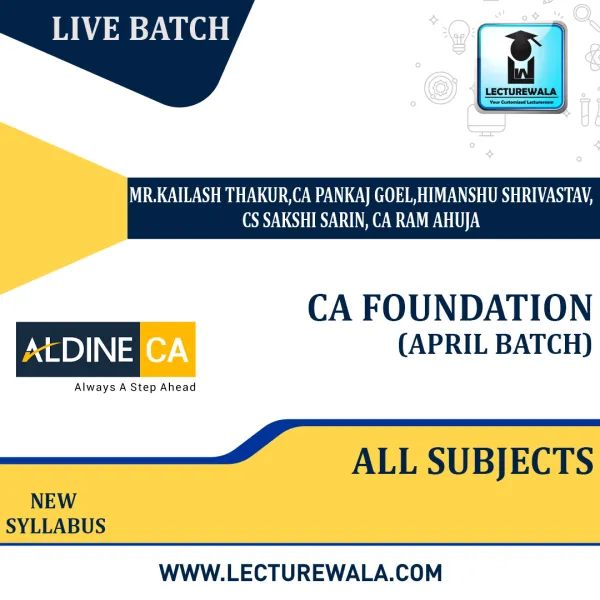
CA Foundation All subjects combo By ALDINE: Online live classes.
FACULTY NAME | CIMA Siddhant Sonthalia |
||
|---|---|---|---|
| BRAND NAME | Aldine CA | ||
| COURSE | CA FOUNDATION |
||
| COURSE NAME | CIMA Siddhant Sonthalia - MATHS | ||
| SYLLABUS | New | ||
| BATCH STARTING DATE | New Batch of CA Foundation will start from 28th Aug 2023 Batch timing : 10:00 am – 12:00 pm | Days:- Monday to Saturday | ||
| VIDEO LANGUAGE | Hindi - English | ||
| VIEW DEMO | |||
| ATTEMPT | DEC 2023 | ||
| MODE | Live @ Home & Live @ Centre | ||
| STUDY MATERIAL | Hard Copy Books of Each Subject | ||
| STUDY MATERIAL LANGUAGE | English | ||
| NO. OF VIEWS | Live @ Centre - 01 Views for backup LIVE @ HOME - 02 Views Google Drive - 1.5 views | ||
| VALIDITY | 12-months validity through Google Drive LMS Validity: 450 |
||
| FAST FORWARD | YES | ||
| CLASSES RUN | Laptop, Desktop, Android Mobile (Offline viewing only on Android Mobile App) |
||
| SYSTEM REQUIREMENT | Live At Home will only work on Laptop / Desktop with Windows 10 or 11 or above. (Minimum 10 Mbps Speed with Wifi Connection) or Android version 7.0 or higher / iOS App | ||
| How the Doubt clearing session will be available? | E-mail/mobile apps/phone. | ||
| HOW TO AMENDMENT WILL BE | Amendment Notes through mail and lectures through google drive or youtube. | ||
OTHER -
LMS facility will be available for 30 months from the date of registration.
URL for LMS Login- https://aplus.aldine.edu.in
Follow the given below steps for Aplus Software-
1-Login in https://aplus.aldine.edu.in
2-After Login click on Live Class Option & download the Aplus software
3- Install Aplus software on your Laptop & log in with your registered email id & password.
- Availability: 2-3 Days
Rs. 18,999
FACULTY NAME | CIMA Siddhant Sonthalia |
||
|---|---|---|---|
| BRAND NAME | Aldine CA | ||
| COURSE | CA FOUNDATION |
||
| COURSE NAME | CIMA Siddhant Sonthalia - MATHS | ||
| SYLLABUS | New | ||
| BATCH STARTING DATE | New Batch of CA Foundation will start from 28th Aug 2023 Batch timing : 10:00 am – 12:00 pm | Days:- Monday to Saturday | ||
| VIDEO LANGUAGE | Hindi - English | ||
| VIEW DEMO | |||
| ATTEMPT | DEC 2023 | ||
| MODE | Live @ Home & Live @ Centre | ||
| STUDY MATERIAL | Hard Copy Books of Each Subject | ||
| STUDY MATERIAL LANGUAGE | English | ||
| NO. OF VIEWS | Live @ Centre - 01 Views for backup LIVE @ HOME - 02 Views Google Drive - 1.5 views | ||
| VALIDITY | 12-months validity through Google Drive LMS Validity: 450 |
||
| FAST FORWARD | YES | ||
| CLASSES RUN | Laptop, Desktop, Android Mobile (Offline viewing only on Android Mobile App) |
||
| SYSTEM REQUIREMENT | Live At Home will only work on Laptop / Desktop with Windows 10 or 11 or above. (Minimum 10 Mbps Speed with Wifi Connection) or Android version 7.0 or higher / iOS App | ||
| How the Doubt clearing session will be available? | E-mail/mobile apps/phone. | ||
| HOW TO AMENDMENT WILL BE | Amendment Notes through mail and lectures through google drive or youtube. | ||
OTHER -
LMS facility will be available for 30 months from the date of registration.
URL for LMS Login- https://aplus.aldine.edu.in
Follow the given below steps for Aplus Software-
1-Login in https://aplus.aldine.edu.in
2-After Login click on Live Class Option & download the Aplus software
3- Install Aplus software on your Laptop & log in with your registered email id & password.










-318x318.webp "CA Abhishek Bansal Corporate & Other Law Regular Classes In English / Hinglish For CA Inter : Online Classes")

CA Inter Group - 1 Combo Regular Batch Live @ Home By Aldine CA : Online Live Classes.
Rs. 29,619 Rs. 39,499

Aldine CA All Subjects Combo Regular Online Classes For CA Foundation : Online classes
Rs. 19,749 Rs. 24,999